Case study
Currency Converter
Built and shipped an installable, offline-first currency converter that converts one amount into all your currencies at once, with reference rates from Frankfurter and rate history charts.
The work
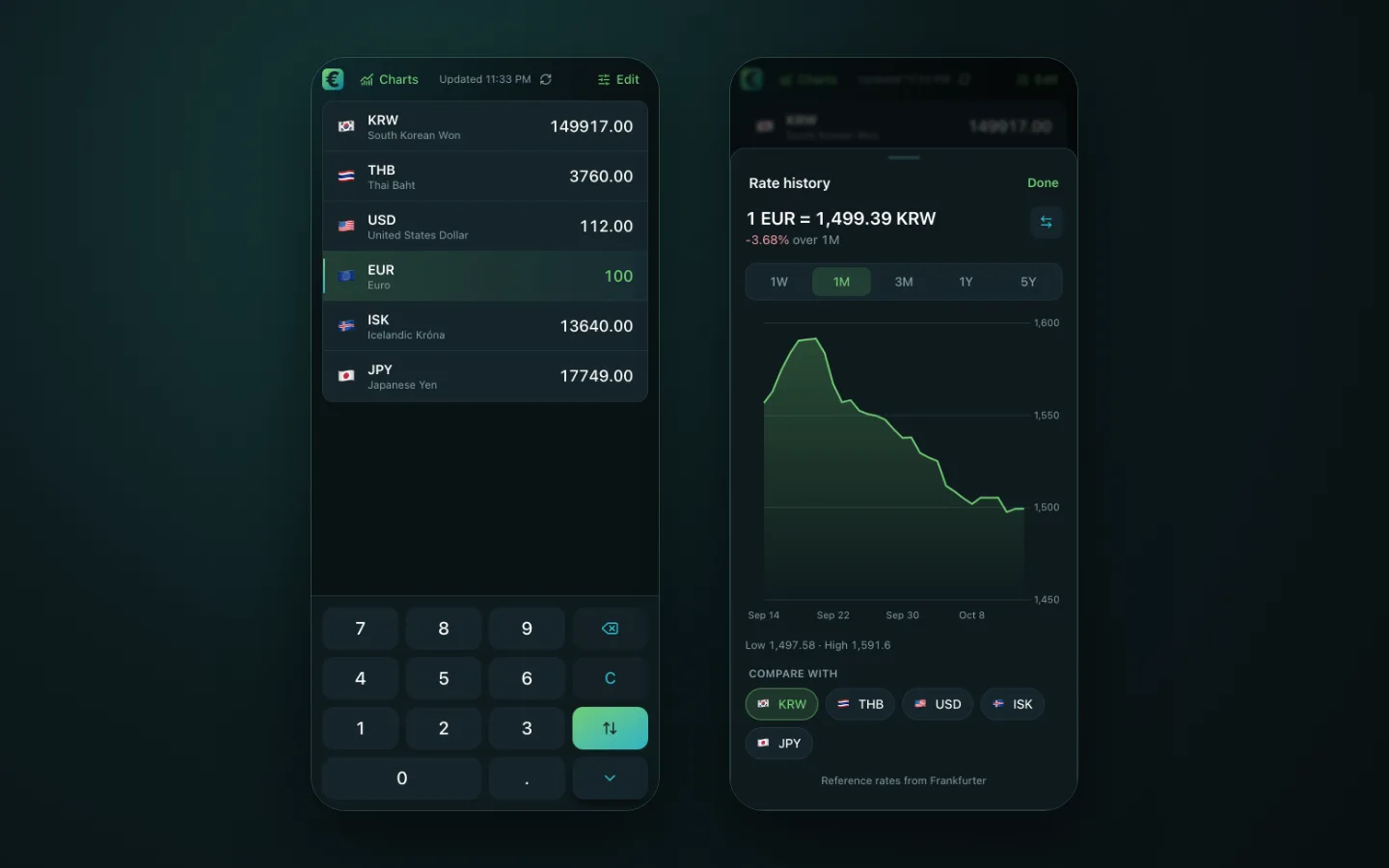
Currency Converter is a Progressive Web App that converts one amount into every currency on your list at the same time. It uses reference rates from the Frankfurter API and starts with KRW, THB, USD, EUR, ISK and JPY.
I started it in January 2026 with a PWA and a React Native version side by side. I kept the PWA, and in October 2026 I moved it into its own open-source repository.
How I approached it
I built the app on TanStack Start with React 19. The amount comes from an on-screen keypad or a physical keyboard, and the swap key switches back to the previously selected currency. In the currency editor you search, add, remove with undo, and reorder by drag or with the arrow keys. The list and its order stay in localStorage.
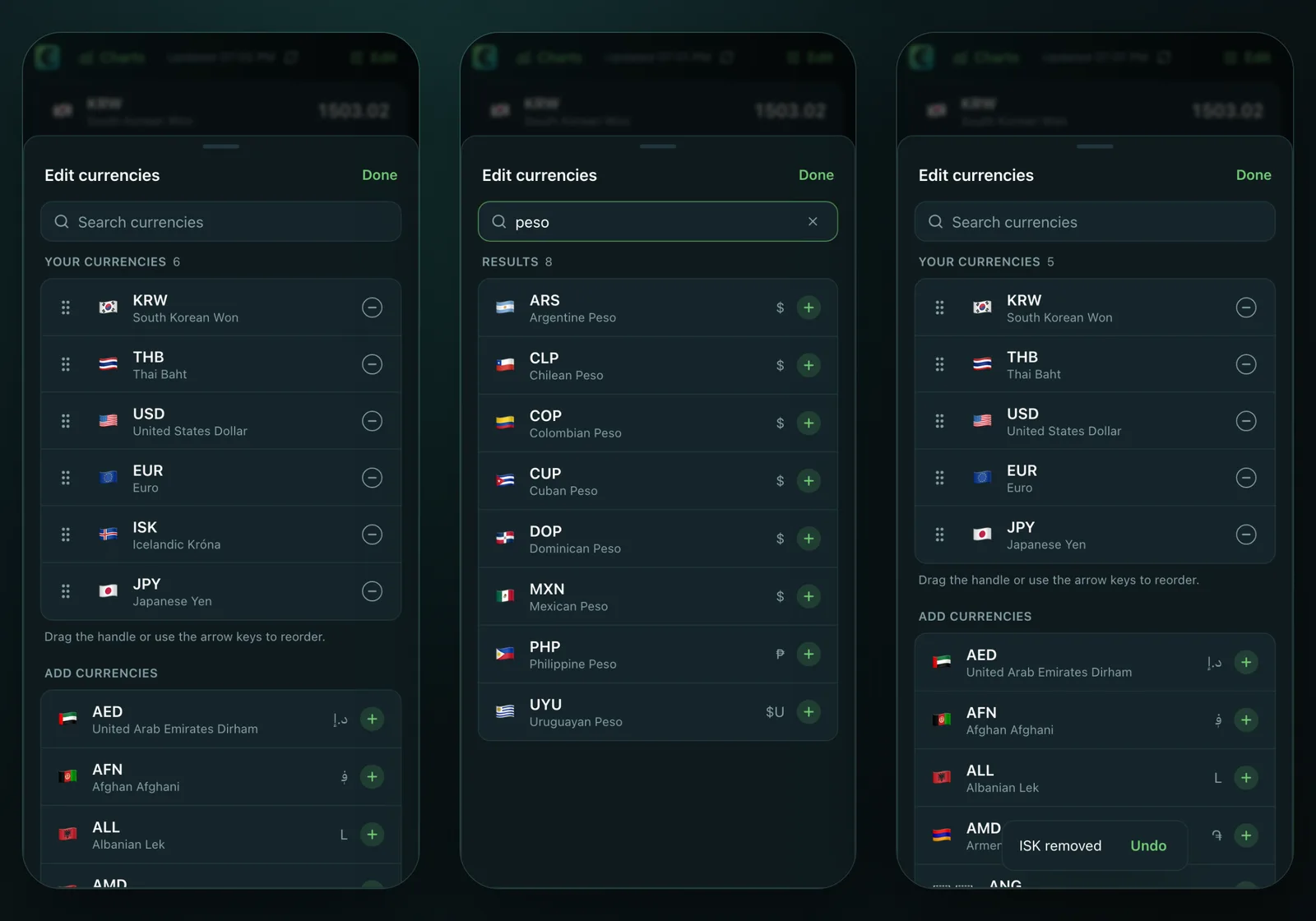
Figure: The currency editor. Reorder or remove saved currencies, search to add new ones, and undo a removal.
The rate history sheet charts any pair of your currencies over 1W, 1M, 3M, 1Y or 5Y with Chart.js, and shows the change over the range.
Architecture
The app has three layers: Frankfurter as the source of rates, a thin server on Vercel, and the installable app on your device. The server has no database and keeps no user data. Your currencies, their order and the last rates stay on the device.
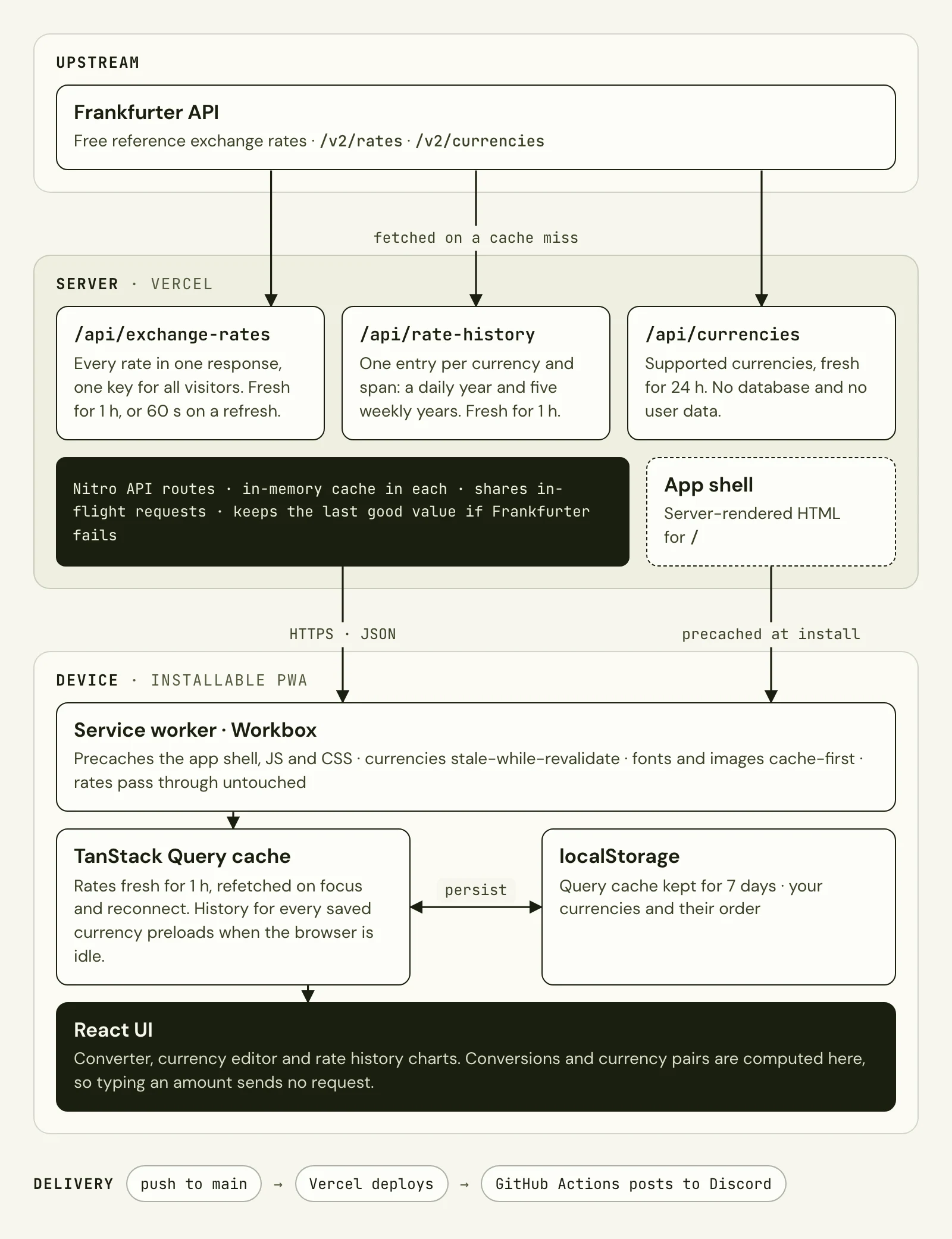
Figure: Data flows down from Frankfurter, through the API routes on Vercel, to the service worker, query cache and UI on the device.
Nitro server routes proxy Frankfurter, so the app never calls it directly and visitors share the server caches. The app asks for every rate in one request and does every conversion itself, so typing an amount sends no request.
Scalability
- Work grows with currencies, not visitors. One cache key holds every rate for every visitor, and the device does the conversions.
- History is cached per currency, not per pair. The server keeps two spans per currency: a daily year, which the device cuts into 1W, 1M, 3M and 1Y, and five years sampled weekly. The device builds any pair from two euro-based histories, so the server needs one entry per currency instead of one per pair.
- The server is stateless. Vercel can run as many instances as traffic needs, and none of them holds anything that must survive a restart.
- The device preloads when idle. Chart code and the history for every saved currency load while the browser is idle, so the history sheet opens at once. Devices with Save-Data on skip this.
- Trade-off: each server instance keeps its own in-memory cache. A warm instance calls Frankfurter about once an hour per key, or once a minute while someone refreshes. At this traffic that is cheap and simple. With much more traffic, the next step is a shared cache or CDN caching in front of the API routes.
Reliability
Each layer answers from its own cache when it can, and every failure ends with rates still on screen.
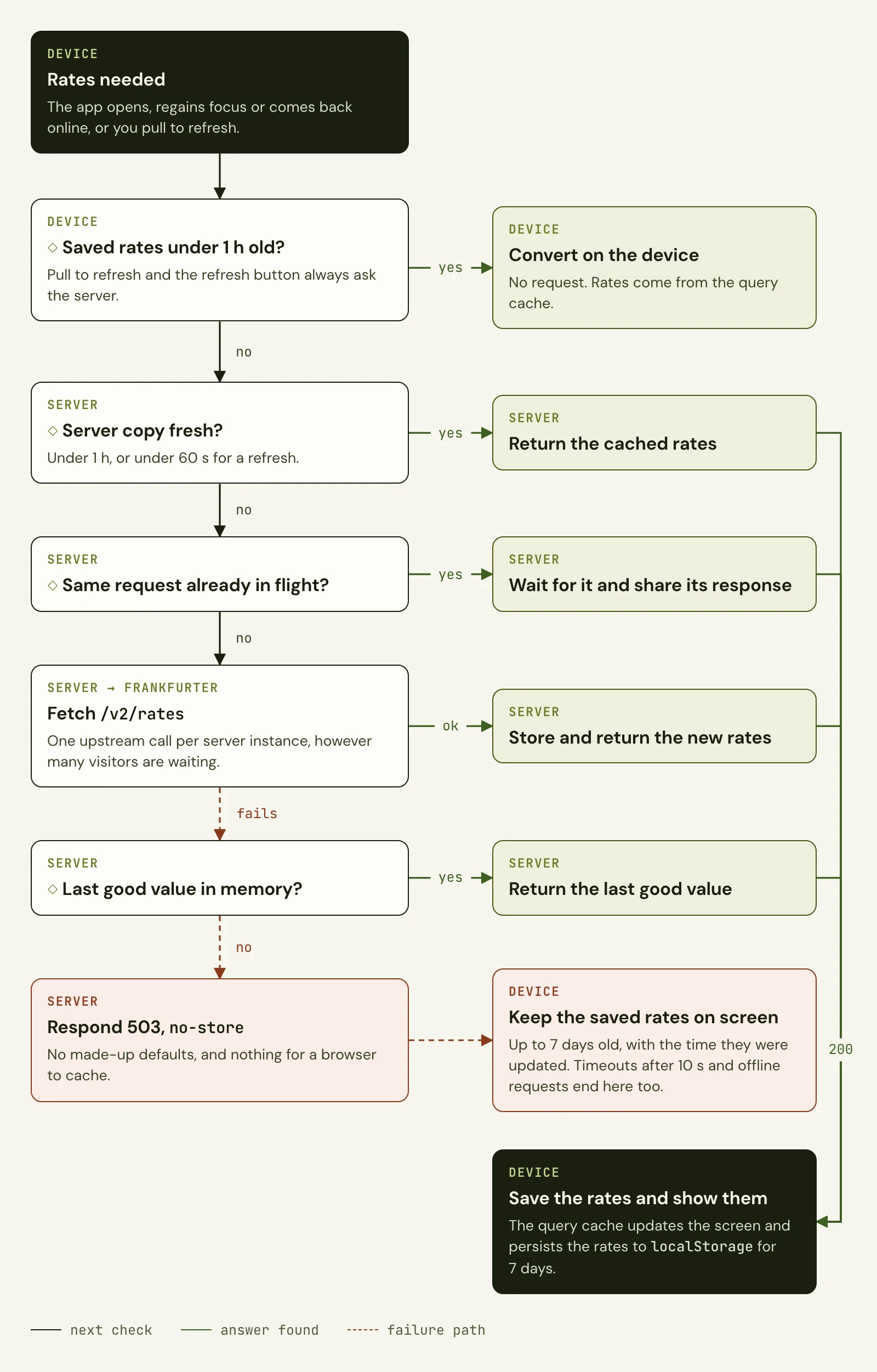
Figure: How the app gets exchange rates, from the device cache to Frankfurter and back.
- One upstream call for many visitors. When a cache entry expires and many visitors arrive at once, the server makes one call to Frankfurter and shares the answer.
- Stale beats empty. If Frankfurter fails, the server returns the last good value. If it has none, it answers 503 with
no-store, so no browser caches made-up rates. - The device never blanks out. A failed request, after a 10-second timeout and one retry, leaves the saved rates on screen. The "Updated" time comes from the query cache, which is why the service worker does not cache rates: the time always shows how old the rates are.
- Refreshes are bounded. Pull to refresh skips the device and HTTP caches, but the server may answer with rates up to 60 seconds old. Repeated refreshes within a minute do not reach Frankfurter.
- Offline works. The service worker serves the precached app shell, and the query cache restores rates, history and currencies from
localStoragefor up to seven days. - Deploys do not break installed apps. The rates route still answers the older request format that earlier installed versions send.
Delivery
Vercel deploys every push to main, and a GitHub Actions workflow posts each build and deployment to Discord. Vitest covers the conversion, cache, persistence and rate history logic, and Playwright covers the converter, offline rates, the service worker and rate history in a real browser.
Results
- Live, installable app at currency.domenurh.com
- Works offline with the last saved rates and history
- 107 Vitest unit tests and 48 Playwright browser tests
- Open source under GPL-2.0
UI history
How the UI changed
5 versions, from the first working build to today.